
Machining cycle
Facing on a CNC lathe
Machining the face of a workpiece down to the required length
A clickable cycle form: tap any field to see what it does.
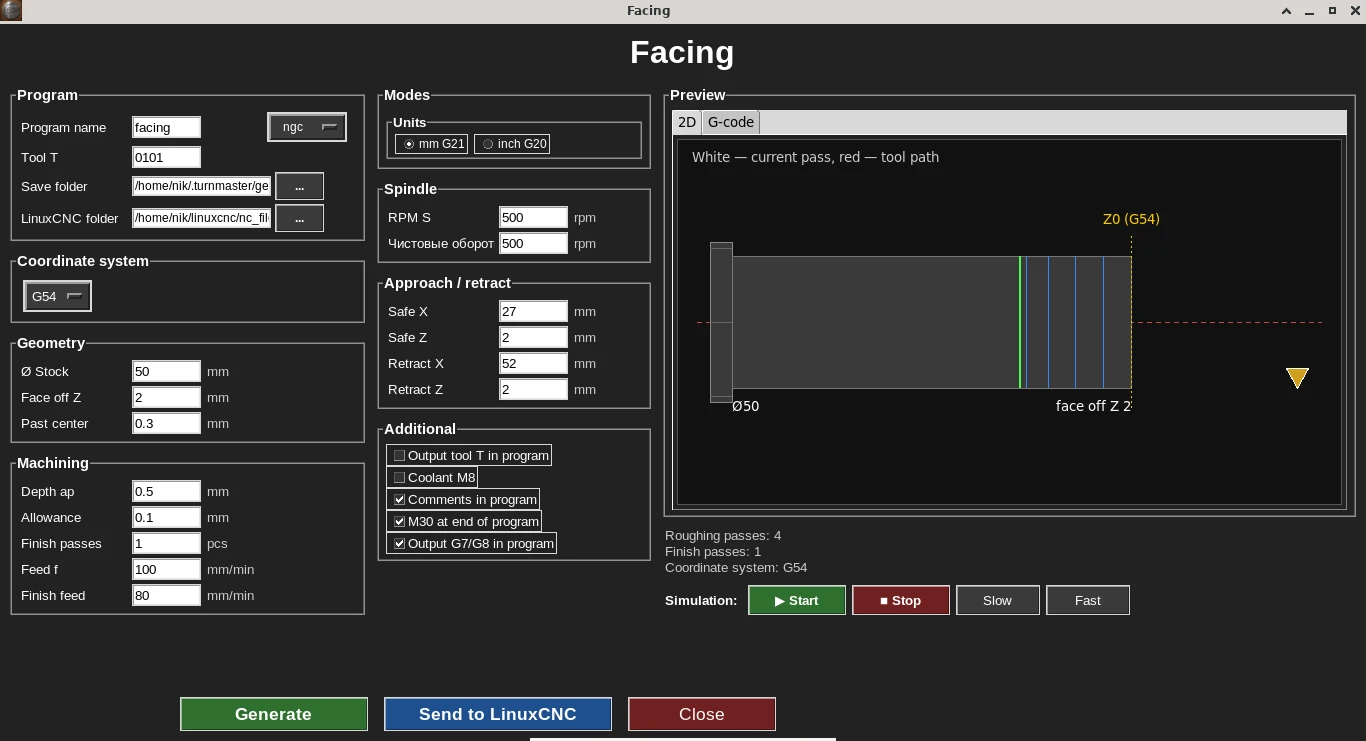
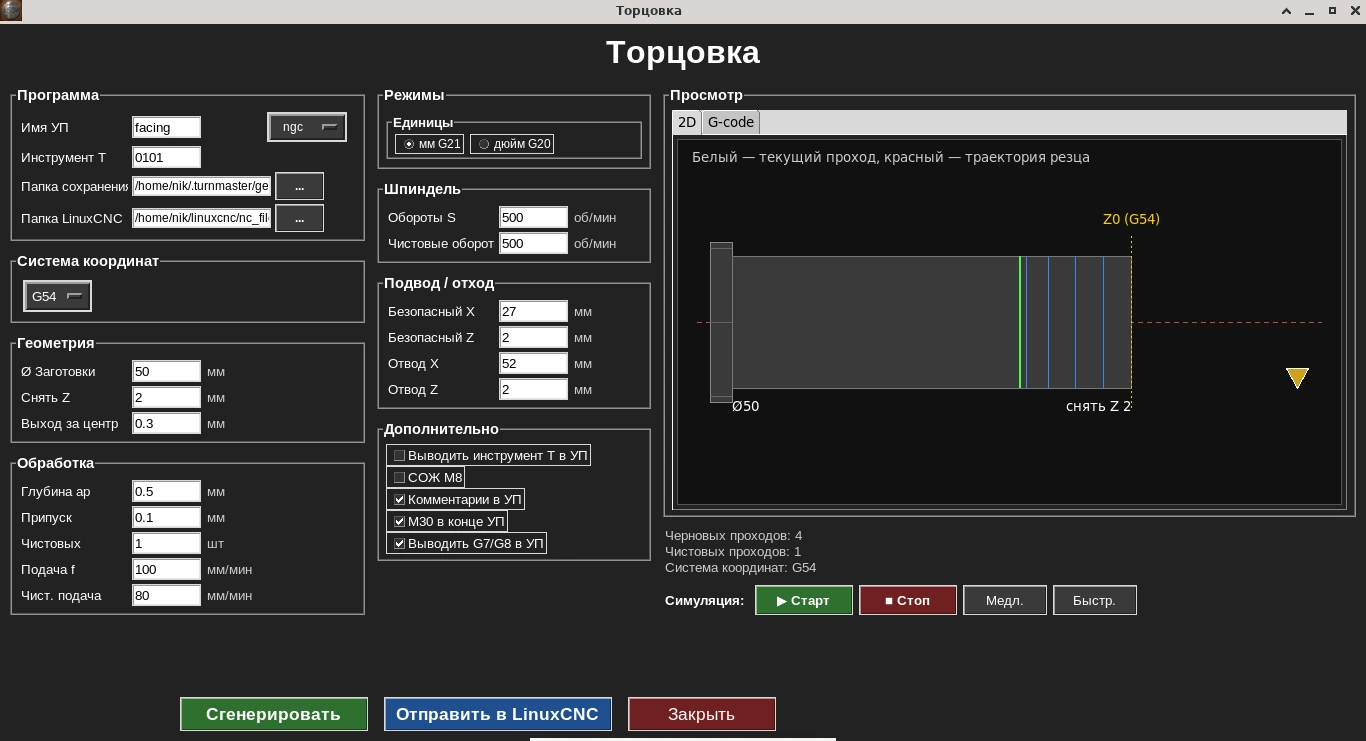
Cycle form: face geometry on the left — live 2D toolpath simulator on the right, before generating G-code.
The facing cycle removes material from the face of the workpiece, moving from the edge toward the center, based on the given allowance and number of passes.
Like every other cycle in the program, facing supports the G7/G8 switch and configurable coolant M-codes — so the resulting G-code already matches your controller and post-processor conventions.
Who needs this cycle
Needed whenever a part must be trimmed to length or given a clean face before further machining.
Key form parameters
- •Workpiece diameter
- •Final length / face position
- •Allowance per pass
- •Feed rate
- •Spindle speed
G-code example
Real output of the facing cycle: a Ø50 mm blank with 2 mm removed from the face — from Z0 to Z−2. Depth per pass 0.5 mm; the last roughing pass leaves 0.1 mm for finishing. Roughing at 200 rpm and 100 mm/min, finishing at 500 rpm and 80 mm/min. The code lines were not edited by hand.
Radius mode G8: the edge of the Ø50 blank is X25 and X0 is the part axis. Facing runs from the edge to the centre, so the cutting move is in X, from X27 to X−0.3, while the depth is set in Z.
facing.ngc · 52 lines — Show the full program
%
(Turn G-code)
(Facing)
(Work offset: G54)
(Stock diameter D50.0)
(Part face: Z0)
(Remove in Z: down to Z-2.0000)

G21 G18 G90 G8 G40 G80 G94
G54

G97 S200 M3

G0 Z2.0000
G0 X27.0000

(Roughing pass 1, Z-0.5000)
G0 Z-0.5000
G1 X-0.3000 F100.0000
G0 Z2.0000
G0 X27.0000

(Roughing pass 2, Z-1.0000)
G0 Z-1.0000
G1 X-0.3000 F100.0000
G0 Z2.0000
G0 X27.0000

(Roughing pass 3, Z-1.5000)
G0 Z-1.5000
G1 X-0.3000 F100.0000
G0 Z2.0000
G0 X27.0000

(Roughing pass 4, Z-1.9000)
G0 Z-1.9000
G1 X-0.3000 F100.0000
G0 Z2.0000
G0 X27.0000

(Finishing spindle speed)
S500
(Finish pass 1, Z-2.0000)
G0 Z-2.0000
G1 X-0.3000 F80.0000
G0 Z2.0000
G0 X27.0000

G0 X52.0000
M5
M30
%
Line-by-line breakdown
G21 G18 G90 G8 G40 G80 G94- Start: millimetres, XZ plane, absolute coordinates, radius mode for X (G8), cancel compensation and canned cycles, feed in mm/min.
G97 S200 M3- Constant speed — 200 rpm for roughing.
G0 Z2.0000 / G0 X27.0000- Approach: 2 mm in front of the face and X27 (Ø54) — outside the blank.
G0 Z-0.5000 → G1 X-0.3000 F100.0000- Roughing pass: move to depth Z−0.5 outside the blank and feed to the centre. The tool goes 0.3 mm past the axis (X−0.3) so no pip is left in the centre of the face.
G0 Z2.0000 / G0 X27.0000- Retract after the pass: first away from the face in Z, then in X past the edge — the tool never scratches the machined surface.
(Roughing pass 4, Z-1.9000)- Passes step 0.5 mm: Z−0.5, Z−1.0, Z−1.5, and the fourth only to Z−1.9, leaving 0.1 mm allowance for finishing.
S500 / G0 Z-2.0000 / G1 X-0.3000 F80.0000- Finishing pass to size Z−2 at a higher 500 rpm and 80 mm/min.
G0 X52.0000 / M5 / M30- Final retract in X, spindle stop and program end.
Comments in this program were translated from Russian; the G-code itself is unchanged.
What the codes in this program mean (G0, G1, G8, G97, M3, M5) — G- and M-code reference for lathes.
More on this topic: G96 and G97 on a CNC lathe: constant surface speed vs constant RPM.
Frequently asked questions
Which direction does the tool move during facing?
The tool moves from the edge of the workpiece toward the center, removing material over one or several passes based on the given allowance.
Can I set multiple passes for facing?
Yes, the cycle splits the material between passes based on the given allowance — no need to calculate each step by hand.
Does it support the G7/G8 switch and configurable coolant M-codes?
Yes, like every cycle in the program, facing supports the G7/G8 switch and configurable coolant M-codes, so the resulting G-code already matches your controller and post-processor.
Can I preview the toolpath before saving the program?
Yes, the cycle form shows a live 2D toolpath simulator before the G-code is generated.
When do I need this cycle?
Whenever a part must be trimmed to length or given a clean, flat face before the next operation.