
Machining cycle
OD turning on a CNC lathe
The core roughing and finishing cycle for outer-diameter turning
A clickable cycle form: tap any field to see what it does.
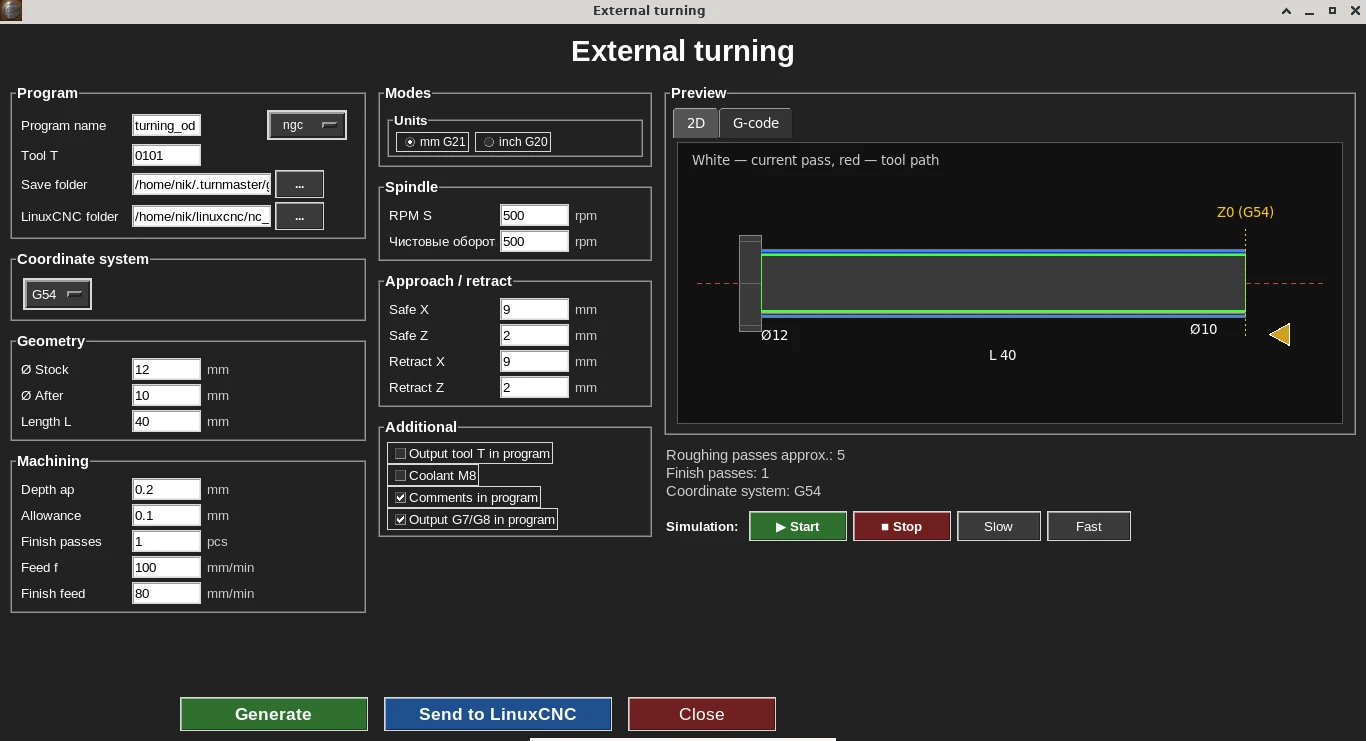
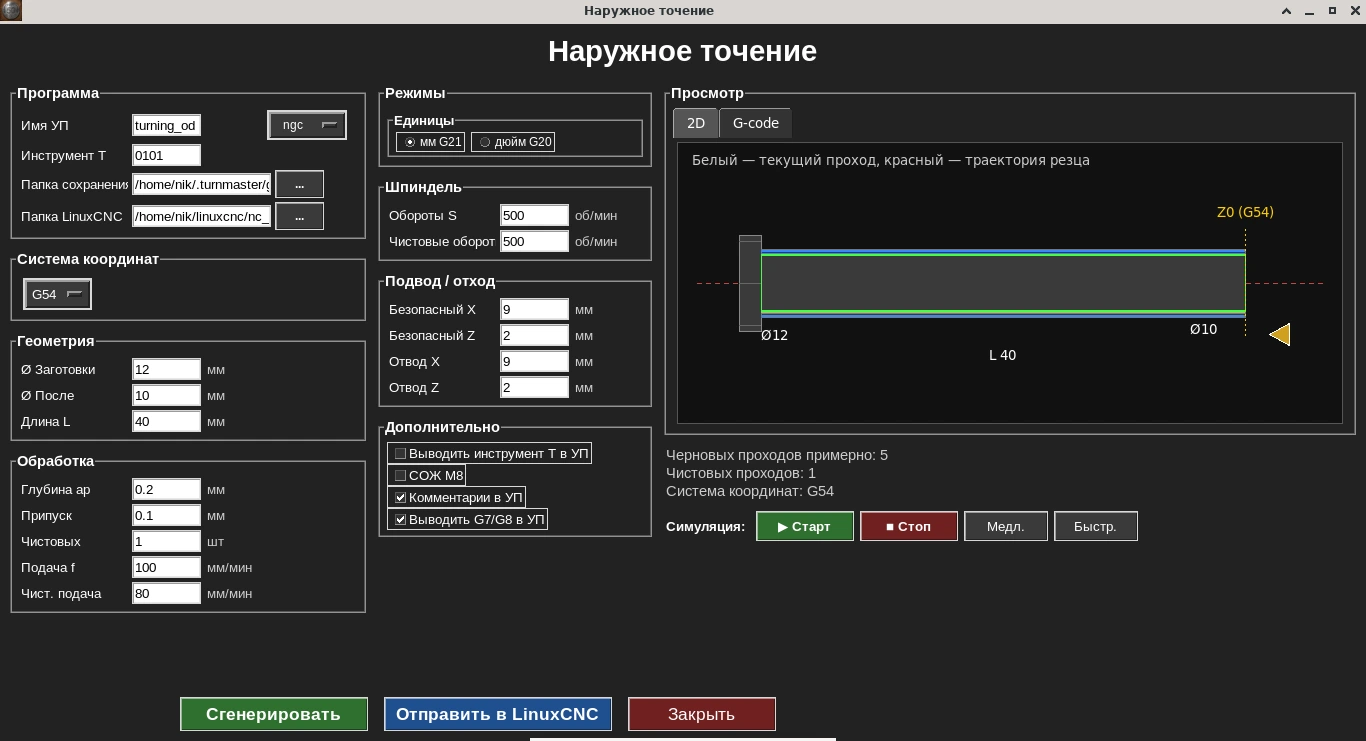
Cycle form: geometry, modes, and feeds on the left — live 2D toolpath simulator on the right, before generating G-code.
The turning cycle removes material down to the given diameters over one or several passes, automatically splitting the stock allowance between roughing and finishing passes.
Before generating G-code you can review the tool path in the live 2D simulator to confirm the passes are correct, and only then save the finished program for the machine.
Who needs this cycle
Needed in almost every turning job — from roughing a blank down to a finishing pass before the next operation.
Key form parameters
- •Start and end diameter
- •Length of the section
- •Finishing allowance
- •Feed rate (mm/min)
- •Spindle speed
G-code example
Below is a real program generated by Turn G-code for OD turning: a Ø12 mm blank turned down to Ø10 mm over a length of 20 mm. Depth per pass 0.2 mm, finishing allowance 0.1 mm, feed 100 mm/min for roughing and 80 mm/min for finishing, 500 rpm. The code lines were not edited by hand.
The program uses radius mode G8: X is the distance from the spindle axis, i.e. half the diameter. So Ø12 appears as X6 and Ø10 as X5. In G7 mode the same cycle would output diameters directly; there is a single G7/G8 switch for all cycles.
turning.ngc · 58 lines — Show the full program
%
(Turn G-code)
(OD turning)
(Work offset: G54)
(Stock D12.0)
(Finish D10.0)
(Length L20.0)

G21 G18 G90 G8 G40 G80 G94
G54

G97 S500 M3

G0 Z2.0000
G0 X9.0000

(Roughing pass 1, X5.8000)
G0 X5.8000
G1 Z-20.0000 F100.0000
G0 X9.0000
G0 Z2.0000

(Roughing pass 2, X5.6000)
G0 X5.6000
G1 Z-20.0000 F100.0000
G0 X9.0000
G0 Z2.0000

(Roughing pass 3, X5.4000)
G0 X5.4000
G1 Z-20.0000 F100.0000
G0 X9.0000
G0 Z2.0000

(Roughing pass 4, X5.2000)
G0 X5.2000
G1 Z-20.0000 F100.0000
G0 X9.0000
G0 Z2.0000

(Last roughing pass to allowance, X5.1000)
G0 X5.1000
G1 Z-20.0000 F100.0000
G0 X9.0000
G0 Z2.0000

(Finishing spindle speed)
S500
(Finish pass 1, X5.0000)
G0 X5.0000
G1 Z-20.0000 F80.0000
G0 X9.0000
G0 Z2.0000

G0 Z2.0000
M5
M30
%
Line-by-line breakdown
G21 G18 G90 G8 G40 G80 G94- Safe start line: millimetres (G21), lathe XZ plane (G18), absolute coordinates (G90), radius mode for X (G8), cancel tool nose radius compensation (G40) and canned cycles (G80), feed in mm/min (G94).
G54- Work coordinate system — the part zero set on the machine.
G97 S500 M3- Constant spindle speed (G97) — 500 rpm, clockwise rotation (M3).
G0 Z2.0000 / G0 X9.0000- Rapid to a safe point: 2 mm in front of the face and X9 (Ø18) — well clear of the blank.
G0 X5.8000 → G1 Z-20.0000 F100.0000- Roughing pass: rapid to X5.8 (Ø11.6), then feed at 100 mm/min to Z−20. Each next pass goes 0.2 mm deeper per side: X5.6, X5.4, X5.2.
G0 X9.0000 / G0 Z2.0000- After every pass the tool first retracts in X above the blank and only then returns to the face, so the return move never drags across the machined surface.
(Last roughing pass to allowance, X5.1000)- The last roughing pass does not go to full depth but exactly to the allowance: X5.1 (Ø10.2) leaves 0.1 mm per side for the finishing pass.
S500 / G0 X5.0000 / G1 Z-20.0000 F80.0000- Finishing pass to the final Ø10 (X5) at a separate finishing feed of 80 mm/min. The S line sets the finishing speed — equal to roughing here, but it can be set differently in the form.
M5 / M30- Spindle stop and program end. M30 at the end, like the comments, can be turned off in the settings to match your controller and post-processor habits.
Comments in this program were translated from Russian; the G-code itself is unchanged. Coolant (M8) and tool number output are off in this example — they are checkboxes in the cycle form.
What the codes in this program mean (G0, G1, G8, G97, M3, M5) — G- and M-code reference for lathes.
Frequently asked questions
What's the difference between the roughing and finishing pass?
The roughing pass removes most of the material over one or more passes while leaving a stock allowance. The finishing pass removes that allowance in a final pass to reach the exact size and a clean surface. The program splits the allowance between passes automatically.
Can I set multiple roughing passes?
Yes, the cycle automatically divides the distance between the start and end diameter into the needed number of roughing passes, leaving the specified finishing allowance — no need to calculate each pass by hand.
Does it support switching between diameter and radius mode (G7/G8)?
Yes, like every other cycle in the program, turning supports the G7/G8 switch and configurable coolant M-codes, so the resulting G-code already matches your controller and post-processor conventions.
Can I preview the toolpath before generating the G-code?
Yes, before saving the program the cycle form shows a live 2D toolpath simulator so you can visually confirm the passes are set up correctly.
What hardware does this cycle work with?
The program is built on LinuxCNC, but it writes plain G-code — the language most CNC controllers use — so the resulting program can be adapted to other CNC systems too.